
Shipping Operations Software

See what is ready to ship and what is holding it up.

See which orders are ready, which need attention, and whether rates, labels, documents, and tracking details are complete.

Real product screens
Sample data only
Built for inventory teams
01

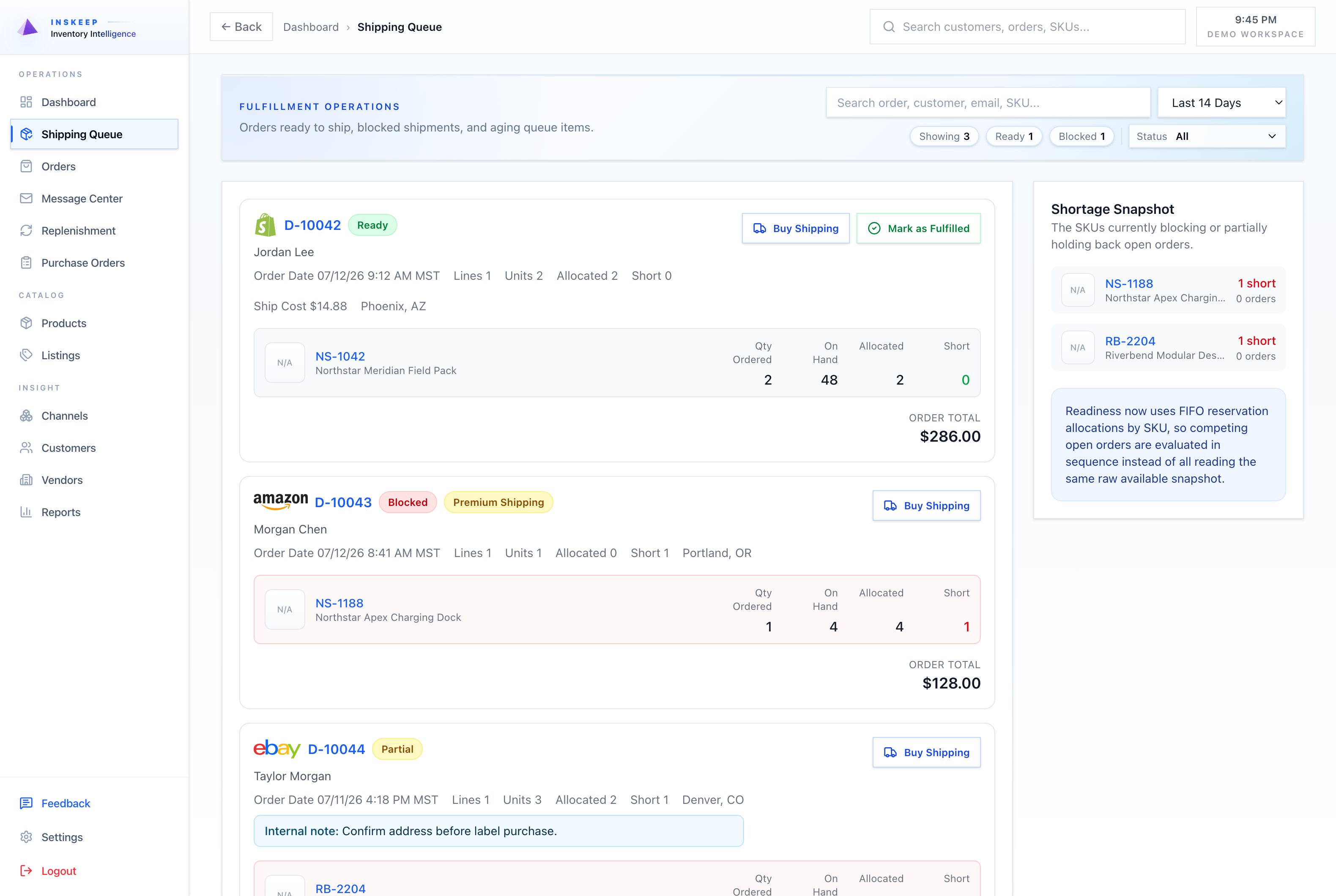
Clear shipping queue

Find orders that need attention and see what is blocking each one.
02

Rates, labels, and tracking

Keep the shipping method, rate, tracking, documents, and cost with the order.

03

Stock-aware shipping

Confirm that enough stock is available before an order ships.

Inventory Checklist

Check your shipping process before buying new software.

Use this simple checklist to find missing information, repeated work, and common problems across your sales channels.

We will only use this information to contact you about Inskeep. You do not need to share customer data.

Before Inskeep

Common problems that waste time and money.

Labels, tracking updates, shipping methods, and order details often live in separate systems.
It is hard to tell whether stock, an address, a shipping method, a label, or a channel update is blocking an order.
Shipping costs and documents are hard to find later when they are not saved with the order.
With Inskeep

What gets easier with Inskeep.

See which orders are ready to ship from the order list or order page.
Save tracking numbers, shipping cost, carrier, service, ship date, and label documents with the order.
Compare rates and create labels without separating shipping from the order.
See It With Your Business

See how Inskeep fits your sales channels, products, orders, and purchasing process.

Tell us how your business works. We will focus the demo on the tasks and inventory decisions your team handles each week.

Inskeep

Manage inventory, orders, listings, purchasing, shipping, and reports in one place.